
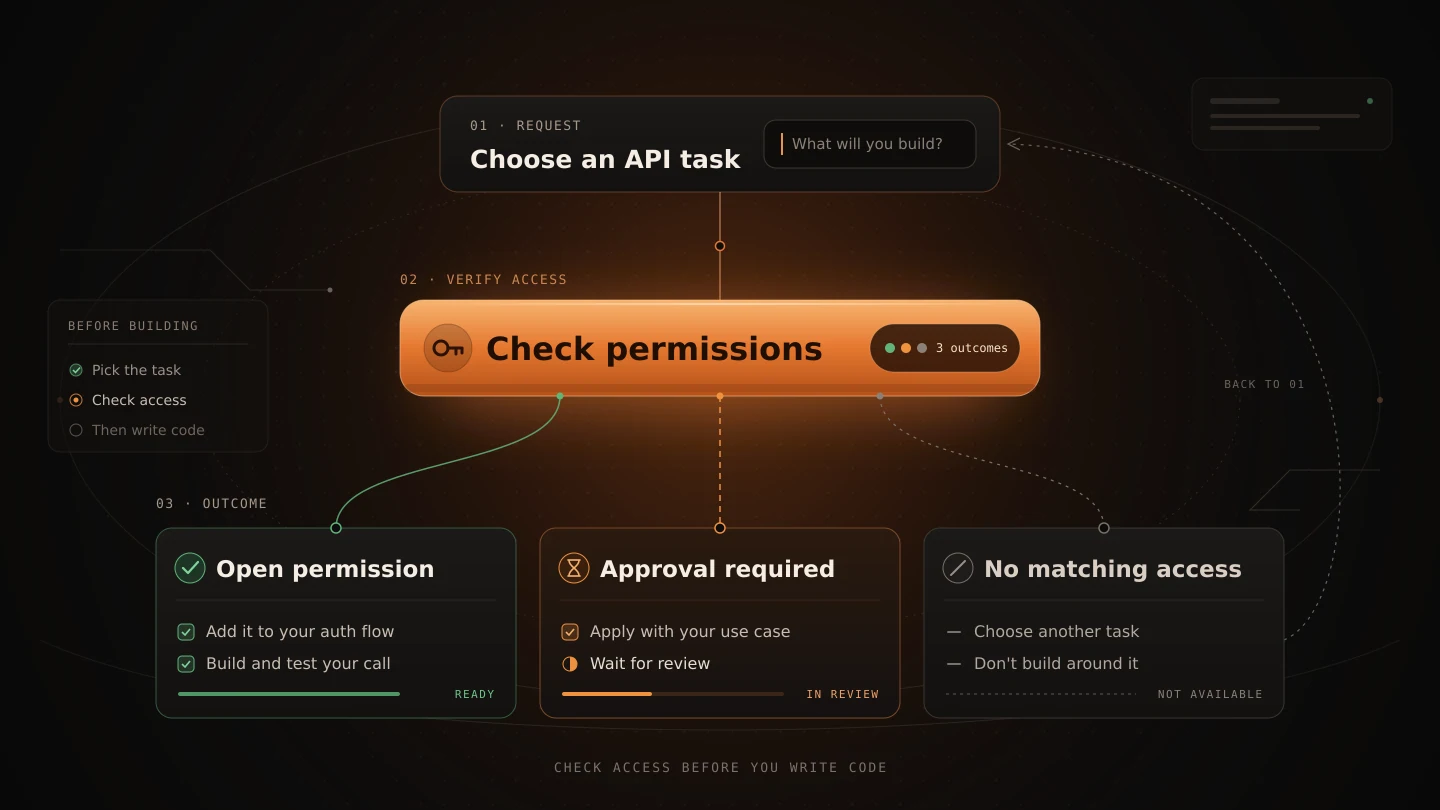
To use the LinkedIn API, create an app in the LinkedIn developer portal, add the products your use case needs, and authorize calls with OAuth 2.0. Open permissions are self-service. Most others, including Advertising, Sales Navigator and Talent, need LinkedIn's approval. If no permission your app can get covers your task, that decides your route before any code.
The rest of this guide turns that into a decision you can make in a few minutes: which access tier your task falls into, how to build on the official route, and what changes when the official route does not cover what you are trying to do.
How to use the LinkedIn API: start from the task, not the endpoint
Creating an app and getting credentials is the easy part. The question that decides whether your project ships is whether LinkedIn will let your app do the specific thing you need.
LinkedIn's getting-access guide on Microsoft Learn says it directly: most permissions and partner programs require explicit approval from LinkedIn. That guide was observed on 2026-11-16 and again in search results dated 2026-11-22. So before you write an OAuth handler, write down three things:
- The task, in one sentence. For example: "let users sign in with LinkedIn", "pull ad campaign reporting into our dashboard", "read a prospect's profile before outreach".
- Whose data it touches. The member using your app, your company's ad accounts or pages, or other members.
- Who runs the call. A member who signs in to your app and authorizes it, or your app on its own.
With those three answers, the tiers below tell you which door to knock on.
The three tiers of official LinkedIn API access
LinkedIn's guide sorts access into three groups. The table summarizes what the guide states. Check the guide itself for the current list of permissions in each group, because it is the source LinkedIn keeps up to date.
| Tier | How you get it | What LinkedIn's guide says | What it means for your project |
|---|---|---|---|
| Open permissions | Self-service: add the product from the Products tab of your app in the developer portal | The only permissions available to all developers without special approval | You can start building today, within what these permissions return |
| Partner programs | Apply, then wait for LinkedIn's decision | Advertising API needs approval, and Audiences permissions only open after that. Sales Navigator permissions need approval as a Sales Navigator Application Platform (SNAP) partner. Talent and Learning integrations have their own application paths | Your timeline depends on approval, and your use case has to fit the program |
| Compliance (closed) | Not open to applications | Listed "for reference purposes only" | Plan as if this tier does not exist for you |
Three practical consequences:
- Approval is a program decision, not a technical one. No amount of code gets you a permission your app has not been granted.
- The Sales Navigator program is narrower than many expect. The permissions the guide describes cover Sales Navigator analytics (with member authorization) and endpoints for CRM data validation and for matched, publicly available profile information (with application authorization). That is aimed at partners, such as CRM vendors, not at running searches on demand.
- Price is not a given. The official documentation, as observed on 2026-11-16, gives no per-call quote and does not establish a universal price or that access is free. Confirm the terms of the program you apply to.
LinkedIn's developer product catalog groups the same offering by business area (marketing, sales, talent and HR tools). It is a useful second view once you know which tier you are in.
How to use the official LinkedIn API, step by step
If an open permission covers your task, or you have been approved for a program, the official route looks like this.
Step 1: create an application. Sign in to the LinkedIn developer portal and create an app. LinkedIn's guide is explicit that products can be enabled only after an application exists. Register the redirect URL your OAuth callback will use.
Step 2: add products. From your app's Products tab, add the open products you need (self-service) or request the partner product. For the Advertising API, the guide says you apply from that same tab by adding the Advertising API product. For Talent and Learning, it points to their own application pages.
Step 3: implement OAuth 2.0. LinkedIn's guide states that its API uses OAuth 2.0 for both user authorization and API authentication, and that applications must be authorized and authenticated before they can fetch data. The guide labels some permissions "Member Auth" and others "Application Auth". In OAuth terms, the first needs a member to authorize your app through a redirect flow, and the second is your app authenticating as itself. LinkedIn's "Authenticating with OAuth 2.0 Overview" page, linked from the getting-access guide, tells you which flow each permission uses.
Step 4: call only what you were granted. Each permission's own documentation lists the endpoints and fields it opens. Map your data model from a real response, not from a blog post, including this one.
A member-authorization flow you can adapt
The snippet below is the standard OAuth 2.0 authorization code flow described in RFC 6749. The endpoint URLs and scope names are placeholders on purpose. Copy them from LinkedIn's OAuth documentation for the products your app has been granted, and confirm there how LinkedIn expects scopes and client credentials to be sent.
// Node 18+ with an Express-style session. Runs server-side only:
// the client secret must never reach a browser.
import crypto from 'node:crypto';

const CLIENT_ID = process.env.LINKEDIN_CLIENT_ID;
const CLIENT_SECRET = process.env.LINKEDIN_CLIENT_SECRET;
const REDIRECT_URI = process.env.LINKEDIN_REDIRECT_URI; // must match the URL registered on the app
const AUTH_URL = 'REPLACE_WITH_AUTHORIZATION_ENDPOINT';  // from LinkedIn's OAuth docs
const TOKEN_URL = 'REPLACE_WITH_TOKEN_ENDPOINT';         // from LinkedIn's OAuth docs
const SCOPES = ['REPLACE_WITH_A_SCOPE_YOUR_APP_WAS_GRANTED'];

// 1. Send the member to LinkedIn to authorize your app.
export function startLogin(req, res) {
  const state = crypto.randomBytes(16).toString('hex');
  req.session.oauthState = state; // compared on the way back (CSRF protection)
  const url = new URL(AUTH_URL);
  url.search = new URLSearchParams({
    response_type: 'code',
    client_id: CLIENT_ID,
    redirect_uri: REDIRECT_URI,
    scope: SCOPES.join(' '), // confirm the separator LinkedIn expects
    state,
  }).toString();
  res.redirect(url.toString());
}

// 2. Exchange the authorization code for an access token.
export async function handleCallback(req, res) {
  if (!req.query.state || req.query.state !== req.session.oauthState) {
    return res.status(400).send('State mismatch: restart the sign-in');
  }
  if (req.query.error) {
    // The member declined, or you asked for a scope your app was not granted.
    return res.status(400).send(`Authorization refused: ${req.query.error}`);
  }
  const tokenRes = await fetch(TOKEN_URL, {
    method: 'POST',
    headers: { 'Content-Type': 'application/x-www-form-urlencoded' },
    body: new URLSearchParams({
      grant_type: 'authorization_code',
      code: String(req.query.code),
      redirect_uri: REDIRECT_URI,
      client_id: CLIENT_ID,
      client_secret: CLIENT_SECRET,
    }),
  });
  if (!tokenRes.ok) {
    return res.status(502).send(`Token exchange failed: HTTP ${tokenRes.status}`);
  }
  const token = await tokenRes.json();
  // Store server-side, tied to the member, with its expiry. Never log it.
  req.session.linkedinToken = token;
  res.redirect('/connected');
}
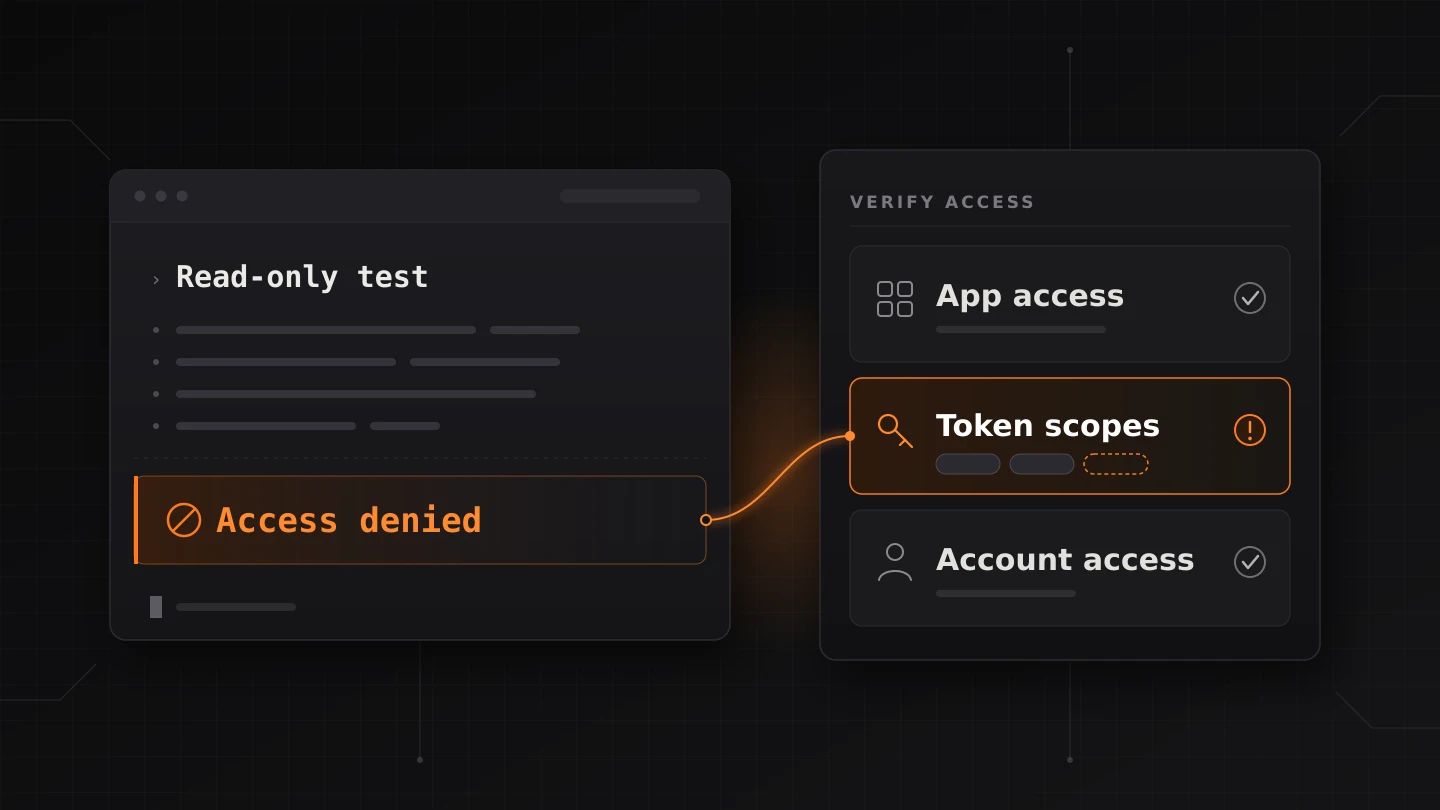
If the first attempt fails, read the error parameter on the callback, then rule out two configuration causes before you touch the code: a redirect URI in the request that does not match the one registered on the app, or a scope that belongs to a product the app has not been granted.
Which route allows your task
This is the core of the guide. Find your task in the left column, then check the route before you build.
| Your task | Route to check first | Where to go next |
|---|---|---|
| Let members sign in, or act for the member who uses your app | Official open permissions | The getting-access guide, then the permission's own docs |
| Manage ads or pull campaign reporting | Official Advertising API, after approval | Apply from your app's Products tab |
| Feed Sales Navigator data into a CRM product you sell | Official SNAP partner program | Partner application; plan for an approval timeline |
| Build a recruiting or HR integration | Official Talent programs | Talent application page linked from the guide |
| Run people searches from your own scripts or assistant | Third-party, session-based provider, if no official permission your app can get covers it | Our guide to LinkedIn people searches from your own tools |
| Read another member's profile before outreach | Same check, then a session-based provider | Our walkthrough on reading a LinkedIn member profile through an API |
| Turn a saved Sales Navigator search into a prospect list | Same check, then a session-based provider | Our tutorial on importing a saved Sales Navigator search |
| Read LinkedIn replies and log them in your CRM | Same check, then a session-based provider | Our n8n workflow for sending LinkedIn replies to a CRM |
| Export profiles in bulk with no ceiling | No route in this guide | Every route described here is capped |
The top half of the table is LinkedIn's own territory: if your task fits there, use the official route, because it is the only one LinkedIn itself defines. The bottom half is where prospecting work usually lands, and where the next section applies.
When the official route does not cover your task
Prospecting tasks such as searching people, reading profiles, messaging and working from Sales Navigator are what many builders mean by "use the LinkedIn API". If none of the permissions your app can get covers them, the alternative is a third-party provider. Several exist; Unipile, for example, publishes its own LinkedIn integration guide. This guide claims no general advantage for one provider over another.
ReachMCP is one of these providers, and it is not the official LinkedIn API. Its documentation describes acting through the connected account holder's own LinkedIn session and LinkedIn's internal interfaces. Concretely:
- Connection is per account. The account holder connects through an extension on Chrome Desktop using their own LinkedIn session. Every call then runs as that member and sees what that member's account can see.
- Keys are the provider's, not LinkedIn's. REST calls carry a ReachMCP key in an
X-API-Keyheader, and a key can be restricted to specific connected accounts. MCP clients connect with OAuth or a key. That restriction is exposed in the contract and dashboard; server-side isolation has not been independently tested. - LinkedIn subscriptions still apply. Some paths need Sales Navigator or Recruiter on the account, viewing profile visitors needs Premium, and messaging depends on the relationship between the members. None of these subscriptions is included.
- No guarantee on the platform side. ReachMCP gives no guarantee of compliance with LinkedIn's terms, of non-suspension or of throughput, and its provided proxies are configuration, not protection against restriction. Nothing here is a legal interpretation: read LinkedIn's terms and decide for your use case.
Whichever provider you evaluate, ask the same four questions: whose session runs the call, which LinkedIn subscription each task needs, which limits apply per account, and what happens when the session needs reconnecting.
Limits on either route
Neither route is unlimited, and the limits come from different places.
| Limit | Official route | Session-based provider (ReachMCP as the example) |
|---|---|---|
| What you may do | The permissions LinkedIn granted your app | What the connected member's account and subscriptions allow |
| Who decides access | LinkedIn, through self-service or approval | The account holder who connects, and the provider's contract |
| Volume | The limits documented for each LinkedIn product: check them per permission | ReachMCP-configurable quotas per action family and per account, plus a global LinkedIn request cap. These are not LinkedIn's official limits |
| Data you will not get | Anything outside your granted scopes | No proprietary email enrichment; reads return what the account can see |
| Account risk | Defined by LinkedIn's program terms | No compliance, non-suspension or anti-ban guarantee |
One trap on the third-party side: you may read that "reads are free of quota". That is a documentation shortcut. Reads do consume ReachMCP quotas, and the global and messaging caps still apply, so plan as if every call counts.
Mistakes that cost developers the most time
Looking for "the LinkedIn API key". Video titles in this search promise a quick way to get one. On the official route, what the portal gives you are your app's OAuth credentials, and data access comes from OAuth tokens scoped to granted permissions. A key from a third-party provider is that provider's credential. It is not access to LinkedIn's official API.
Building before approval. If your task sits in a partner program, a working prototype does not speed up the decision. Apply first, and design a fallback in case the answer is no.
Assuming "public" means "available". The Sales Navigator permissions the guide describes cover matched, publicly available profile information for approved partners. That is not an open endpoint for looking up any member.
Shipping secrets to the browser. Client secrets, access tokens and provider keys belong on a server, in a backend function or inside an orchestrator such as n8n or Make. Route browser requests through your own endpoint.
Treating a third-party route as risk-free because it works today. A session-based call that succeeds once proves the contract, not the account's long-term standing. Keep volume per account low and tied to a real need.
Next steps
If your task sits in the bottom half of the routing table, start with the guide closest to it. Searching is often the first step, and our walkthrough of running LinkedIn searches by URL from your scripts covers the prerequisites and the three layers of limits in detail.
If you have chosen the session-based route and want to make a first call, the ReachMCP REST API integration page gives the routes and authentication to start from. Test against one connected account before you add loops.
FAQ
Does LinkedIn have an API?
Yes. LinkedIn documents its APIs on Microsoft Learn and runs app registration through its developer portal. Access is tiered. Open permissions are self-service for any developer. Partner programs such as Advertising, Sales Navigator (SNAP), Talent and Learning need an application and LinkedIn's approval. Compliance permissions are closed and listed for reference only. Whether "the LinkedIn API" can do what you need therefore depends on which permissions your app can obtain, not on the existence of an endpoint.
Is the LinkedIn API free?
There is no single answer to quote. LinkedIn's documentation, as observed on 2026-11-16, gives no per-call price and does not establish that official access is free or that one price applies everywhere. Open permissions are self-service, while partner programs come with their own application and terms. Third-party providers charge for their own service under their own terms, and LinkedIn subscriptions such as Sales Navigator are billed separately by LinkedIn. Confirm the terms of the exact program or provider you plan to use before you budget.
How do I get a LinkedIn API key?
On the official route, you create an app in the LinkedIn developer portal, which gives you OAuth credentials for that app. Your code then obtains access tokens through OAuth 2.0, and each token only opens the permissions your app was granted. There is no single key that unlocks LinkedIn data. Third-party providers issue their own keys; ReachMCP, for example, uses an X-API-Key header that can be restricted to specific connected accounts. Those keys authenticate you to the provider, not to LinkedIn's official API.
Can I use the LinkedIn API to search for people or send messages?
Check LinkedIn's getting-access guide first: if a permission your app can obtain covers the task, use it. The Sales Navigator permissions the guide lists are reserved for approved SNAP partners and cover analytics, CRM data validation and matched profile information. If nothing available to your app covers searching or messaging, session-based providers are the usual alternative. They act through a connected member's session, so the member's subscriptions and relationships apply, and they carry account risk. Our task guides cover each case in detail.
How long does LinkedIn API approval take?
LinkedIn's guide, as observed, does not state a timeline, and this guide does not estimate one. What the guide does establish is that most permissions and partner programs need explicit approval, and that some depend on an earlier one. Audiences permissions, for instance, only open after approval for the Advertising API. Plan the project so the approval decision comes before heavy build work, and keep a fallback for the case where your use case does not fit the program.
Is a third-party LinkedIn API safe for my account?
No provider can promise that. A session-based provider such as ReachMCP acts through the account holder's own LinkedIn session and LinkedIn's internal interfaces, and it is not the official LinkedIn API. ReachMCP gives no guarantee of compliance with LinkedIn's terms, of non-suspension or of throughput, and proxies are configuration, not protection. What you control is the pace, the volume per account and the reason for each call. Read LinkedIn's terms, decide whether your use case fits, and keep every call tied to a real need.